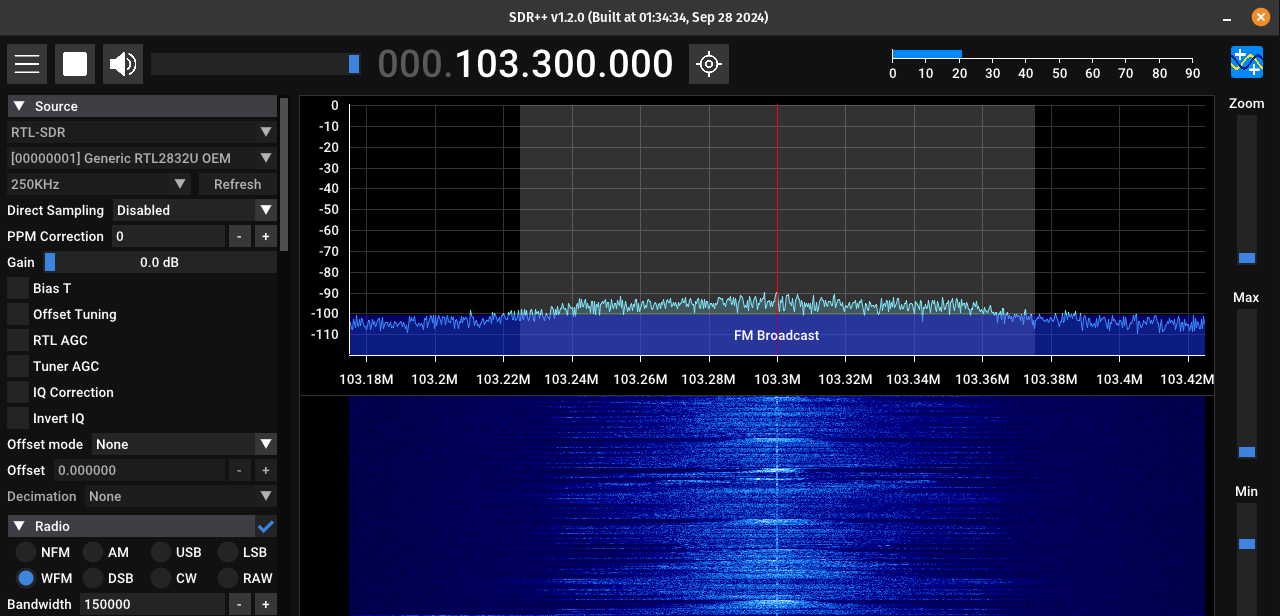
Install & Configure SDR receiver
This guide specifically is for the Nooelec NESDR Mini 2+ USB RTL-SDR and ADS-B Receiver Set, but should work for other similar SDR receivers.
Plug in your SDR receiver to USB
Run command: lsusb | grep DVB
If there are no results, make sure the USB device is plugged into a working USB port.
Note down the two 4-digit values separated by a colon. This is the Vendor ID and Device ID of your SDR receiver. I will use the ones shown in this screenshot for this guise, but use your own values if they differ:

Open/Create the following file (as root): /etc/modprobe.d/blacklist-dvb.conf
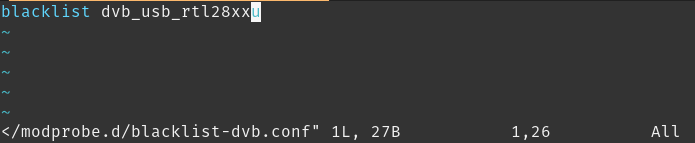
Add the line: blacklist dvb_usb_rtl28xxu
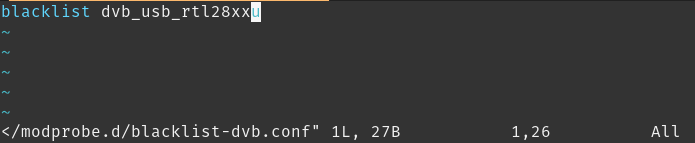
The tildes here represent the end of the file and are not actually part of the file.
Save and close the file
This will block the default driver that is installed for this device. That driver does not work for general SDR purposes
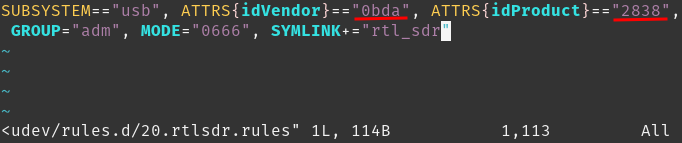
Open/Create the following file (as root): /etc/udev/rules.d/20.rtlsdr.rules
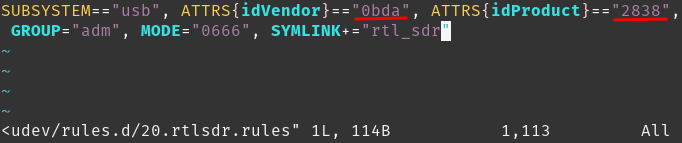
Add the line: SUBSYSTEM=="usb", ATTRS{idVendor}=="0bda", ATTRS{idProduct}=="2838", GROUP="adm", MODE="0666", SYMLINK+="rtl_sdr"
Ensure the Vendor and Device/Product IDs match the ones from before. You can run the command "lsusb | grep DVB" again if you forgot to write them down.
Save and close the file
Add your user to the adm user group so that it has permission to access the device. In the command below change the end to your ubuntu username:
sudo usermod -a -G adm william
Unplug your USB device and then run this command to load the new rule:
sudo udevadm control --reload-rules
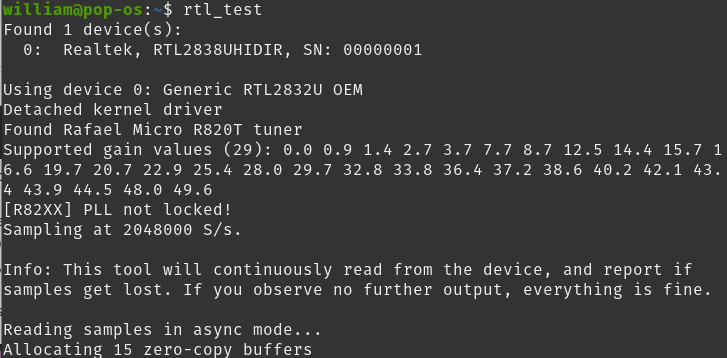
Plug your USB device back in and run this command to test it: rtl_test
It should look something like this and not list any errors. If there are errors try running as root. If it works as root that means your user doesn't have proper permissions or the udev rules file is incorrect. Try those steps again.
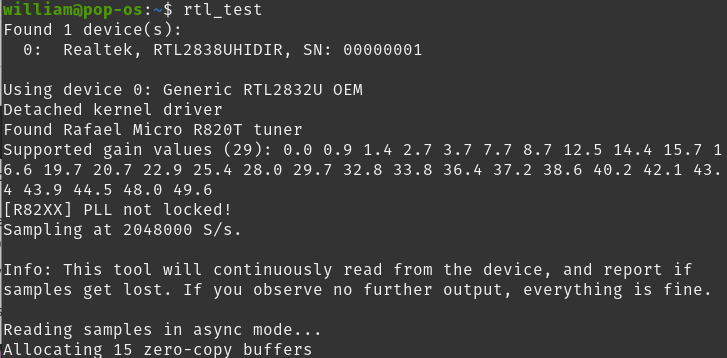
If all is working the process will keep running with no further output. You can use Ctrl-C to stop the process now.
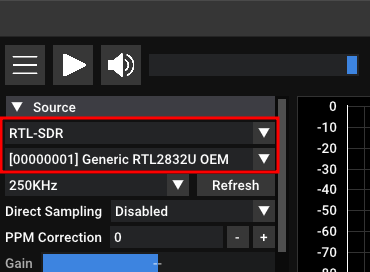
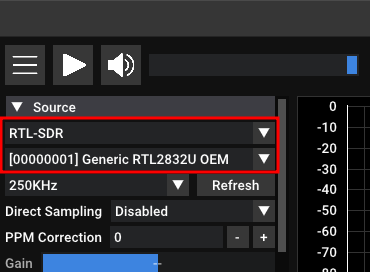
If you have an SDR program (like SDR++), open it and see if you can access the device
You may need to change the Device type to RTL-SDR before your device is displayed
A good first test is to tune to a local radio station
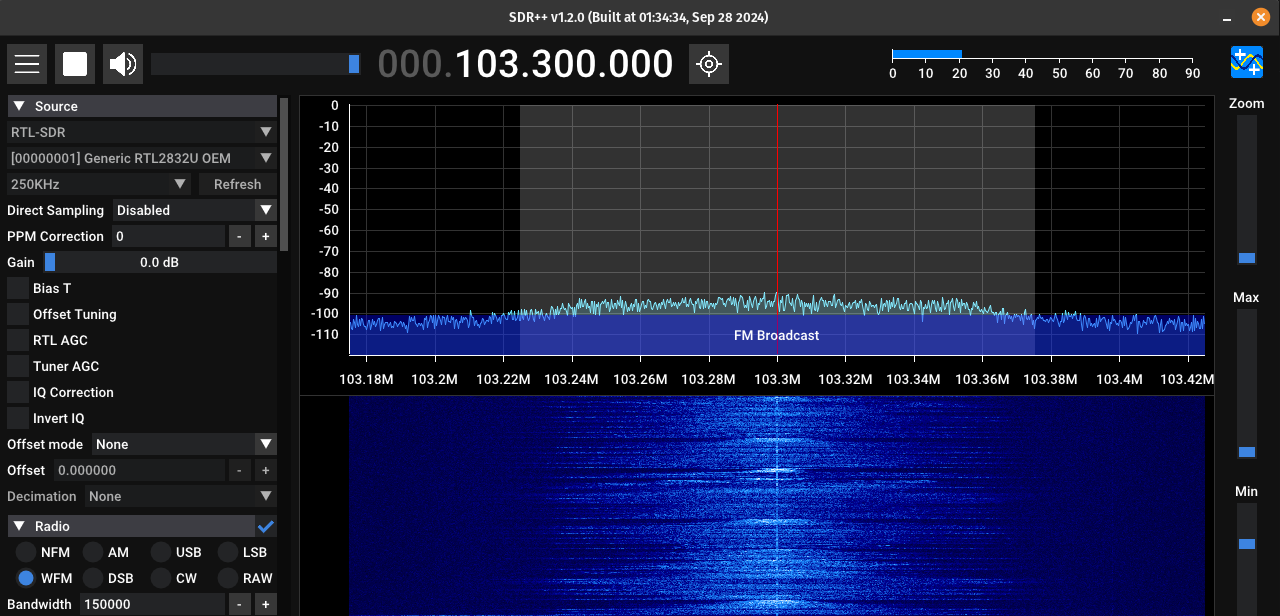
Congrats! Now it's time to start listening to some stuff