General Linux Tips
Server Investigations
Low Disk Space
Running out of disk space can cause all sorts of havoc.
Get list of directories & files that are taking up the most space. This checks from the current dir, but replace the * with a specific dir to check it specifically.
du -hsx * | sort -rh | head -10
Find Duplicate Processes
If you have a shell script that may pile up with too many duplicate processes running, you can find which scripts have duplicates running with this command:
ps aux | sort --key=11 | uniq -c -d --skip-fields=10 | sort -nr --key=1,1
SELinux
If you're using SELinux, the following command will list things getting blocked by SELinux to help you find potential misconfigurations:
grep -E 'setroubleshoot|preventing' /var/log/messages
Cleanup Invalid MP3 Files
- Install mp3check
- Probably already available in your distro. Example:
sudo apt install mp3check
- Probably already available in your distro. Example:
- Scan a directory of MP3 files with:
mp3check -erBR3 "SOME_DIR"- This only scans files and reports issues, it does not make any changes
- This is recursive. Remove the lowercase
-rto not dive into subdirectories -Bcauses it to allow variable bitrate files. If your player doesn't support VBR, remove this flag to identify files that are VBR. Note: mp3check cannot convert VBR to CBR, you need tore-encode for that.
- Fix files with command:
mp3check -r3 --cut-junk-start --cut-junk-end "SOME_DIR"- This will write changes to the files stripping out the invalid chunks. The file modified time will be updated
Notes:
- The recursive option does not appear to work properly and only seems to go 1 directory deep
- The Dirname handling seems unusual. You may need to use a /* at the end for it to scan the entire dir
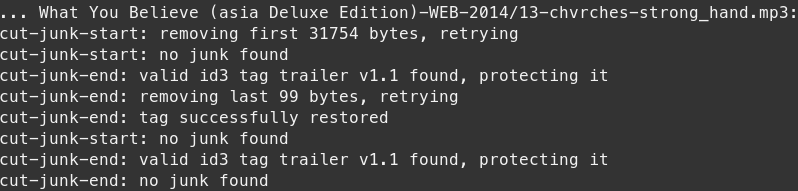
Example cleanup output: